
將指定PDF 檔案內容透過Embedding Model 轉化成向量資料後,存入 Qdrant 向量資料庫
本次測試使用 Qdrant 雲端向量資料庫,只要至Qdrant官網註冊帳號後,可以建立一組免費的Cluster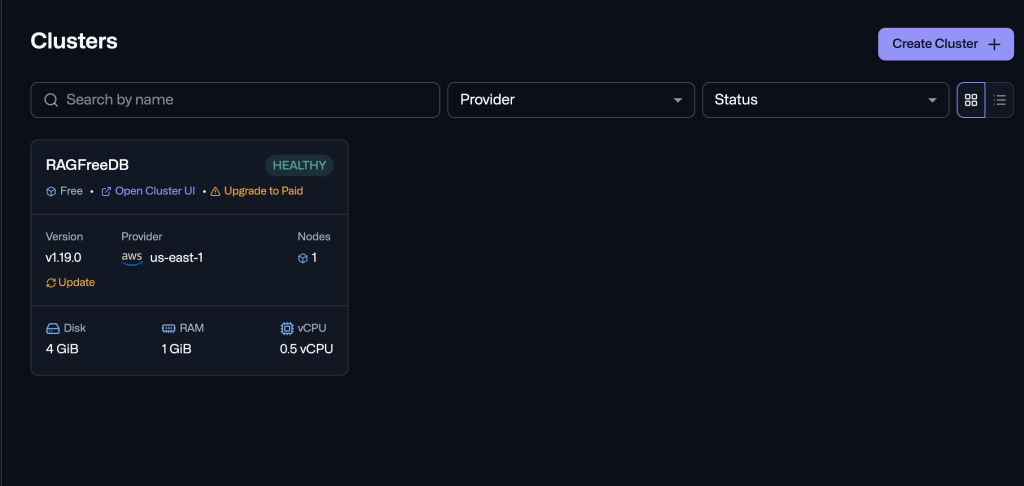
找到Qdrant API 必要參數
Endpoint :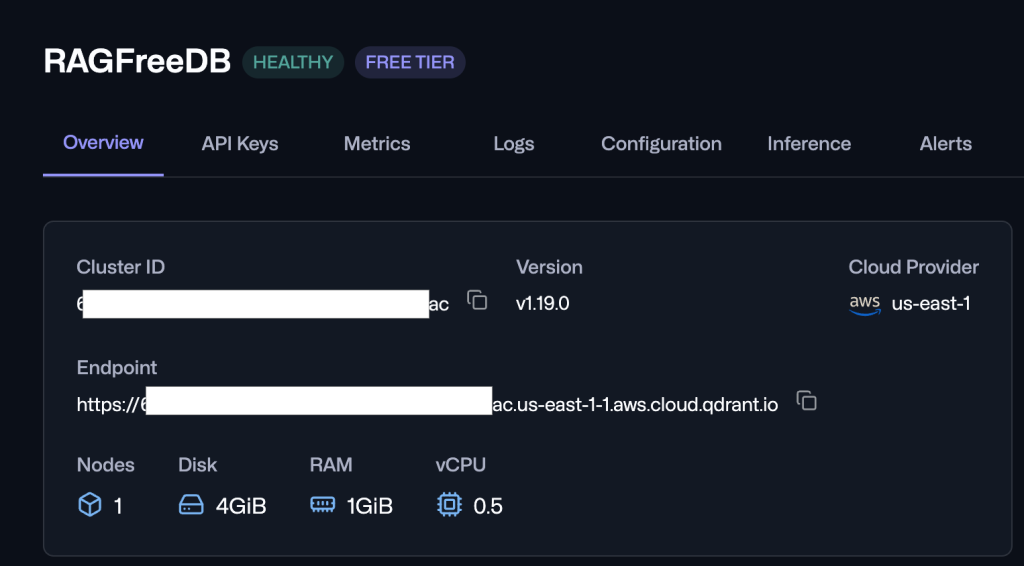
API Key :
務必自己保留API Key 平台不會儲存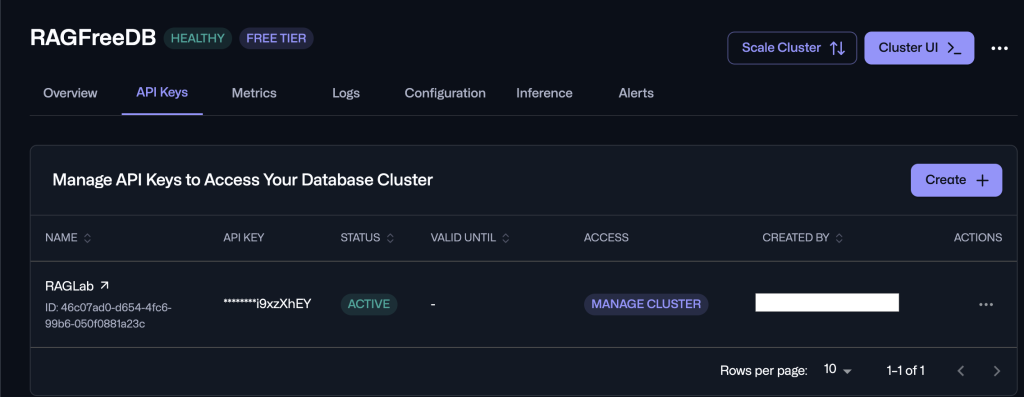
//將每個Chunk 文字內容送進 Embedding Model 取得對應的向量資料
public async Task<List<PdfChunk>> GenerateEmbeddingsForChunksAsync(List<PdfChunk> chunks, Action<int, int>? progressCallback = null)
    {
        int count = 0;
        foreach (var chunk in chunks)
        {
            chunk.Vector = await GetEmbeddingAsync(chunk.Content);
            count++;
            progressCallback?.Invoke(count, chunks.Count);
        }

        return chunks;
    }

//透過Ollama 的 Embedding Model 取得向量資料
public async Task<float[]> GetEmbeddingAsync(string text)
    {
        try
        {
            _ollamaClient.SelectedModel = _model;
            var response = await _ollamaClient.EmbedAsync(new EmbedRequest
            {
                Model = _model,
                Input = new List<string> { text },
                Dimensions = _dimensions
            });
            if (response?.Embeddings != null && response.Embeddings.Count > 0)
            {
                return response.Embeddings[0];
            }

            throw new InvalidOperationException("Ollama returned empty embedding response.");
        }
        catch (Exception ex)
        {
            throw new Exception($"Failed to generate embedding from Ollama model '{_model}': {ex.Message}", ex);
        }
    }
//確認Cluster 是否已存在Collection,不存在建立
public async Task EnsureCollectionExistsAsync()
    {
        bool exists = await _client.CollectionExistsAsync(_collectionName);
        if (!exists)
        {
            await _client.CreateCollectionAsync(
                collectionName: _collectionName,
                vectorsConfig: new VectorParams
                {
                    Size = _vectorSize,
                    Distance = Distance.Cosine
                }
            );
            Console.WriteLine($"[Qdrant] Collection '{_collectionName}' created with vector size {_vectorSize} and Cosine distance.");
        }
        else
        {
            Console.WriteLine($"[Qdrant] Collection '{_collectionName}' already exists.");
        }
    }

 //UpsertChunkAsync API 會用PointStruct 的 Id 比對向量資料庫,存在更新;不存在新增。
 public async Task UpsertChunksAsync(List<PdfChunk> chunks)
    {
        var points = new List<PointStruct>();

        foreach (var chunk in chunks)
        {
            if (chunk.Vector == null || chunk.Vector.Length == 0) continue;

            var point = new PointStruct
            {
                Id = new PointId { Uuid = chunk.Id },
                Vectors = chunk.Vector
            };

            point.Payload["pdf_filename"] = chunk.PdfFileName;
            point.Payload["page_number"] = chunk.PageNumber;
            point.Payload["chunk_index"] = chunk.ChunkIndex;
            point.Payload["content"] = chunk.Content;

            points.Add(point);
        }

        if (points.Count > 0)
        {
            await _client.UpsertAsync(_collectionName, points);
            Console.WriteLine($"[Qdrant] Successfully upserted {points.Count} chunks to collection '{_collectionName}'.");
        }
    }
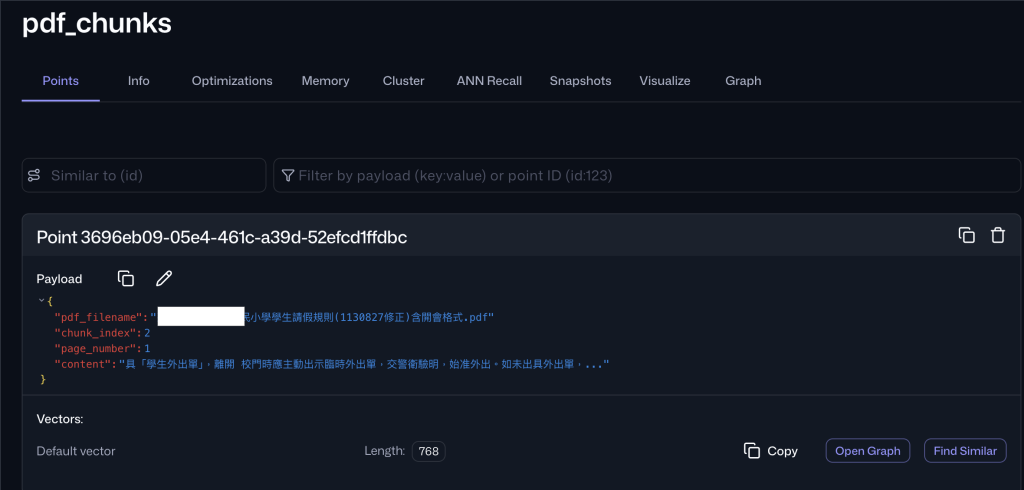
儲存成功後可以在Qdrant Cluster UI 看到向量資料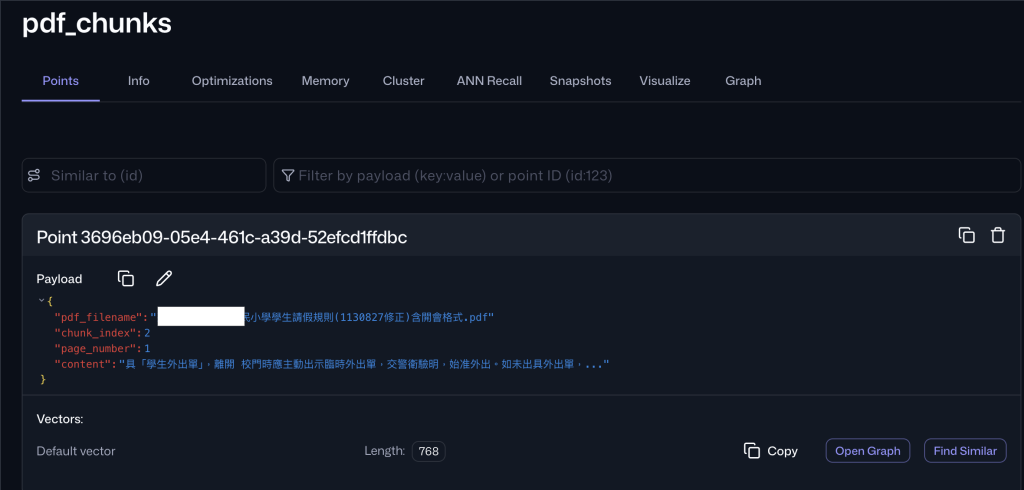
// Interactive Similarity Search
            Console.WriteLine("\n-------------------------------------------------");
            Console.WriteLine(" Test Vector Similarity Search");
            Console.WriteLine("-------------------------------------------------");

            while (true)
            {
                Console.Write("\nEnter search query (or 'exit' to quit): ");
                string? query = Console.ReadLine();
                if (string.IsNullOrWhiteSpace(query) || query.Trim().Equals("exit", StringComparison.OrdinalIgnoreCase))
                {
                    break;
                }

                Console.WriteLine("Generating query embedding...");
                var queryVector = await embeddingService.GetEmbeddingAsync(query);

                Console.WriteLine("Searching Qdrant collection...");
                var results = await qdrantService.SearchSimilarChunksAsync(queryVector, limit: 3);

                Console.WriteLine($"\nTop Search Results (Found {results.Count}):");
                int rank = 1;
                foreach (var res in results)
                {
                    Console.WriteLine($"\n[#{rank++}] Score: {res.Score:F4} | Page: {res.PageNumber} | File: {res.PdfFileName}");
                    Console.WriteLine($"Content: {res.Content}");
                }
            }
這是是把我兒子學校的請假規定匯入 RAG 向量資料庫,所以我來問一下請假相關資訊,取出最相關的三筆文件
確實有找到請假流程相關資訊,可以提供AI提供問題回覆
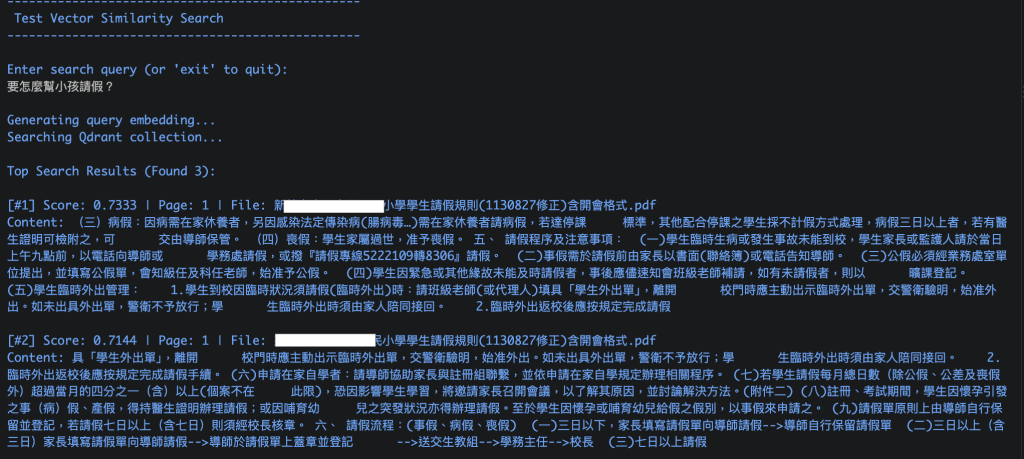
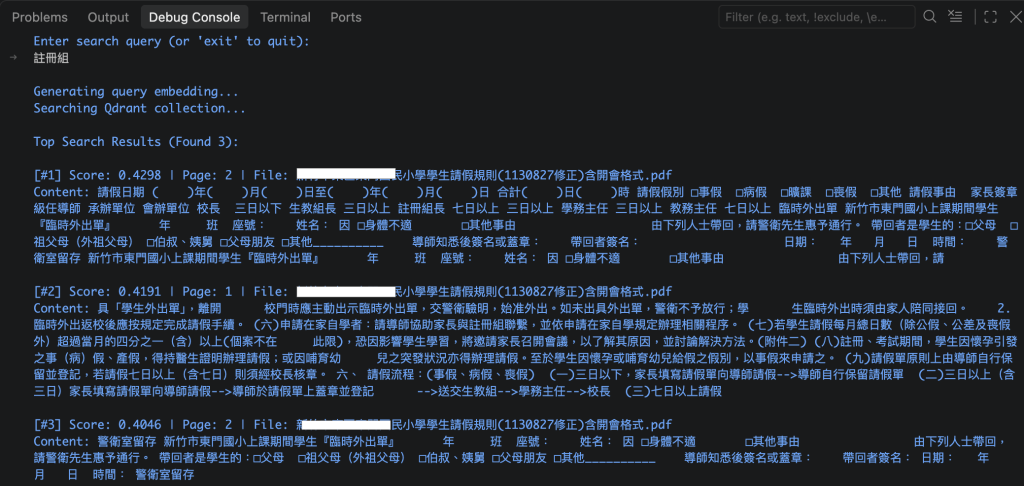
只會找出三段內容有出現有關鍵字的文字片段,但對於AI回答應該沒有任何幫出
RAG Point ID 在設計上需要多加注意,避免之後例行性更新RAG向量資料庫重複產生相同片段的向量資料

 yorkhsulin

 iThome鐵人賽
 看影片追技術